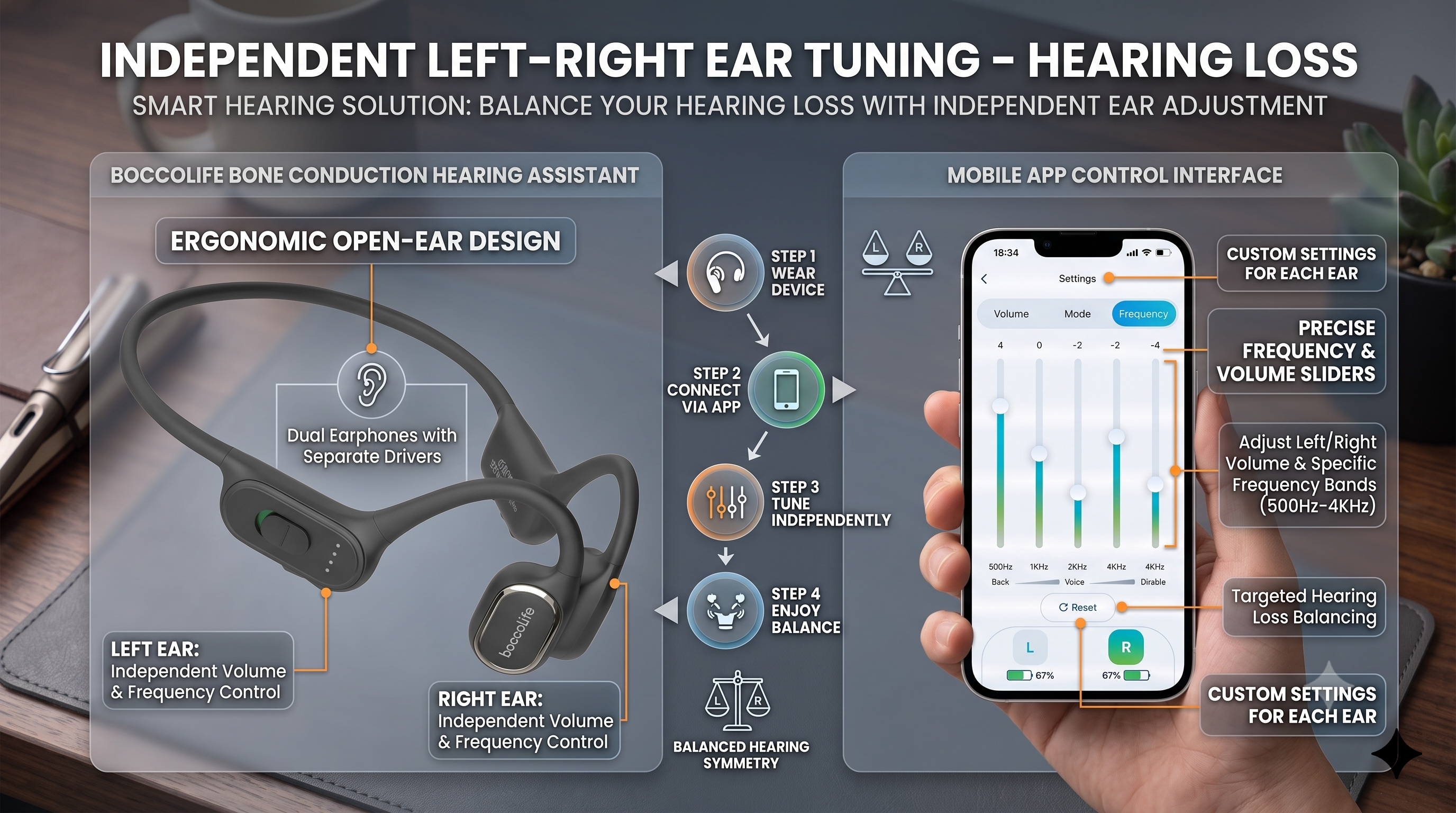
Hearing Is Often Different in Each Ear
A common assumption is that hearing difficulty affects both ears equally. In practice, many people find that one ear needs more support, or support at different pitches, than the other. Yet many basic hearing devices offer only one shared setting for both ears.
The Problem With One Shared Setting
When a device treats both ears the same, you have to compromise. Turn it up enough for your weaker ear and the sound can feel too loud in your stronger ear. That imbalance can make listening tiring and less natural.
It is like wearing glasses with the same prescription in both lenses when your eyes need different ones — neither eye sees as clearly as it could.
Separate Settings for Each Ear
Celivo One is an open bone-conduction hearing assistant: sound travels by bone vibration, and the ear canal stays open. In the bocoolife app, you complete a self-guided hearing test at home, and the app sets up a separate hearing-compensation setting for your left and right ears.
That means the ear that needs more help can get more support at the pitches where it needs it, while your other ear stays at a comfortable level. You can also fine-tune the volume of each side.
Celivo One does not restore normal hearing, and results differ by person. The aim is a more balanced, less tiring listening experience in everyday conversation.
How to Set Up Your Sound
Setting up at home is straightforward:
- Download the bocoolife app on your iOS or Android phone.
- Complete the self-guided hearing test in the app.
- Review the separate hearing-compensation setting for each ear, and fine-tune each side if you like.
- Save your settings. After that, everyday use is handled by the physical buttons on the device.
The app's hearing test is an informational tool, not a medical diagnosis. If you have sudden hearing changes, pain or discharge, see a hearing professional first.